Smart Meteo on its fold-out stand on an oak side table in a bright living room
Indoor climate monitor · e‑paper

Air you can read.Smart MeteoE‑paper monitor.

A real CO₂ sensor, Bosch air quality and the weather outside, on a paper screen that runs for months on a charge. No account, no app.

Why Smart Meteo?

Real CO₂

An NDIR sensor measures the gas itself. Not an estimate.

Air quality & damp

Bosch gas analysis for the air, and a damp warning judged at your coldest wall.

Months on a charge

E‑paper holds the picture with no power at all.

No account, no cloud

Your readings stay on the device, in your home.

Every screen, for real

Tap a state. Watch the paper refresh.

Each picture is a frame drawn by the device's own firmware: a normal day, a stuffy room, cooking fumes, night, the settings page and switched off.

NDIRreal CO₂ sensor,
not an estimate
2.5–3 moper charge at the
busiest setting*
0accounts, apps
or subscriptions

Live. A small refresh every minute, a clean full one every hour.

At home

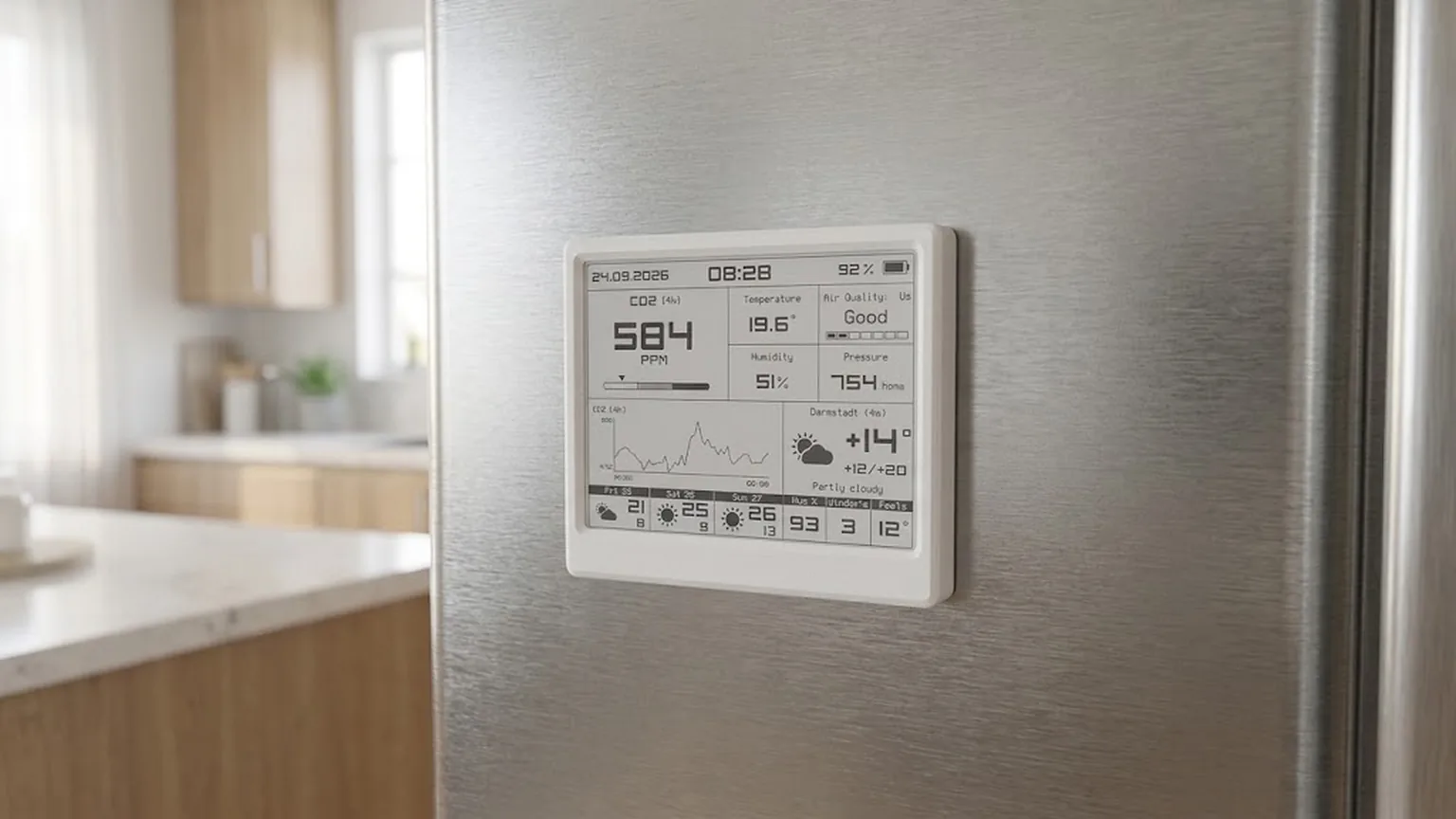
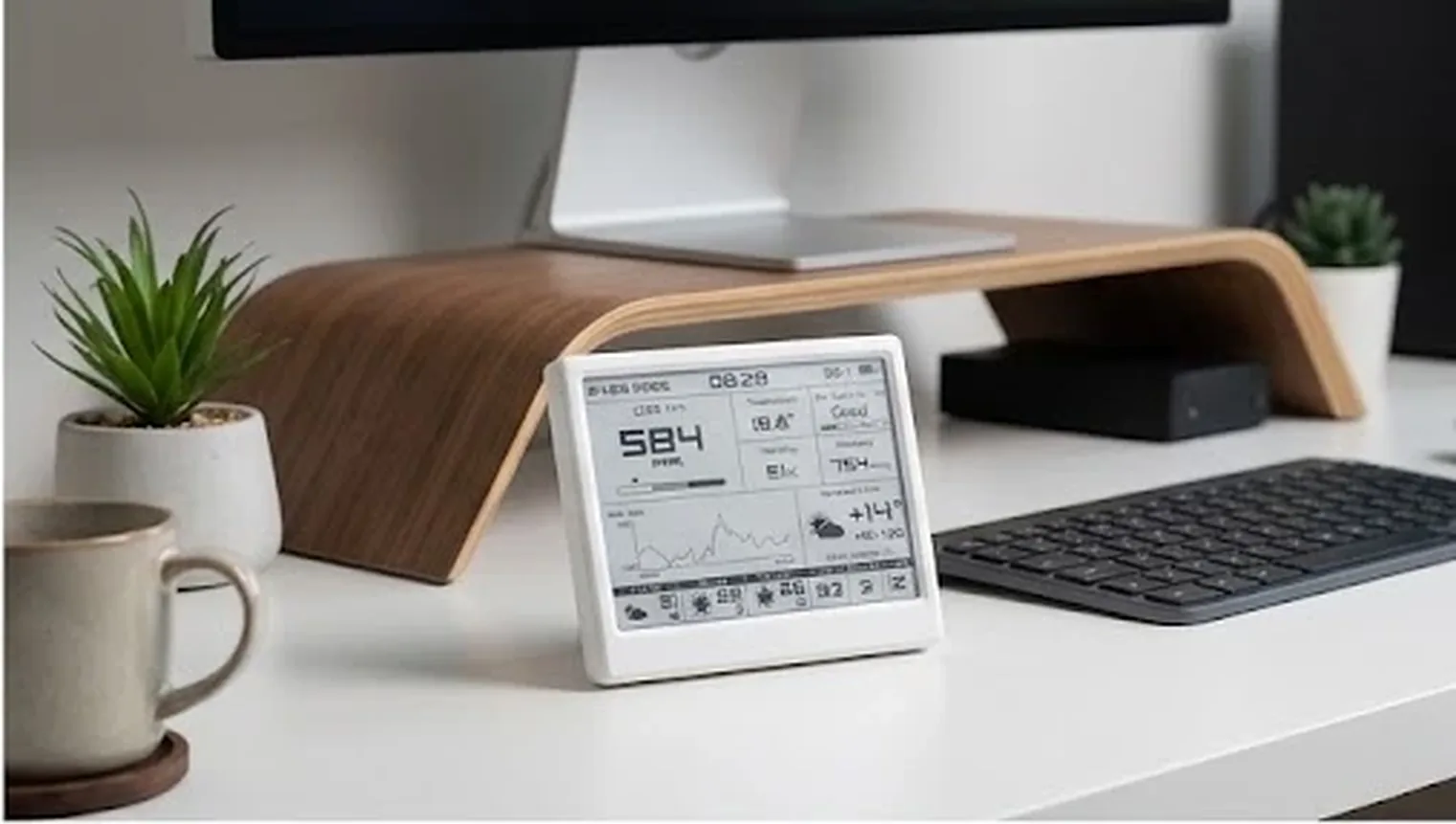
Stands on a shelf. Sticks to the fridge.

A fold‑out stand for the desk or the bedside table, and magnets in the back for the fridge, a whiteboard or any steel surface. Nothing to drill, no cable to run.

Smart Meteo held by magnets on a steel fridge door in a kitchen
On the fridge, by magnets
Smart Meteo on a white desk next to a monitor, keyboard and a plant
On the desk, next to your screen
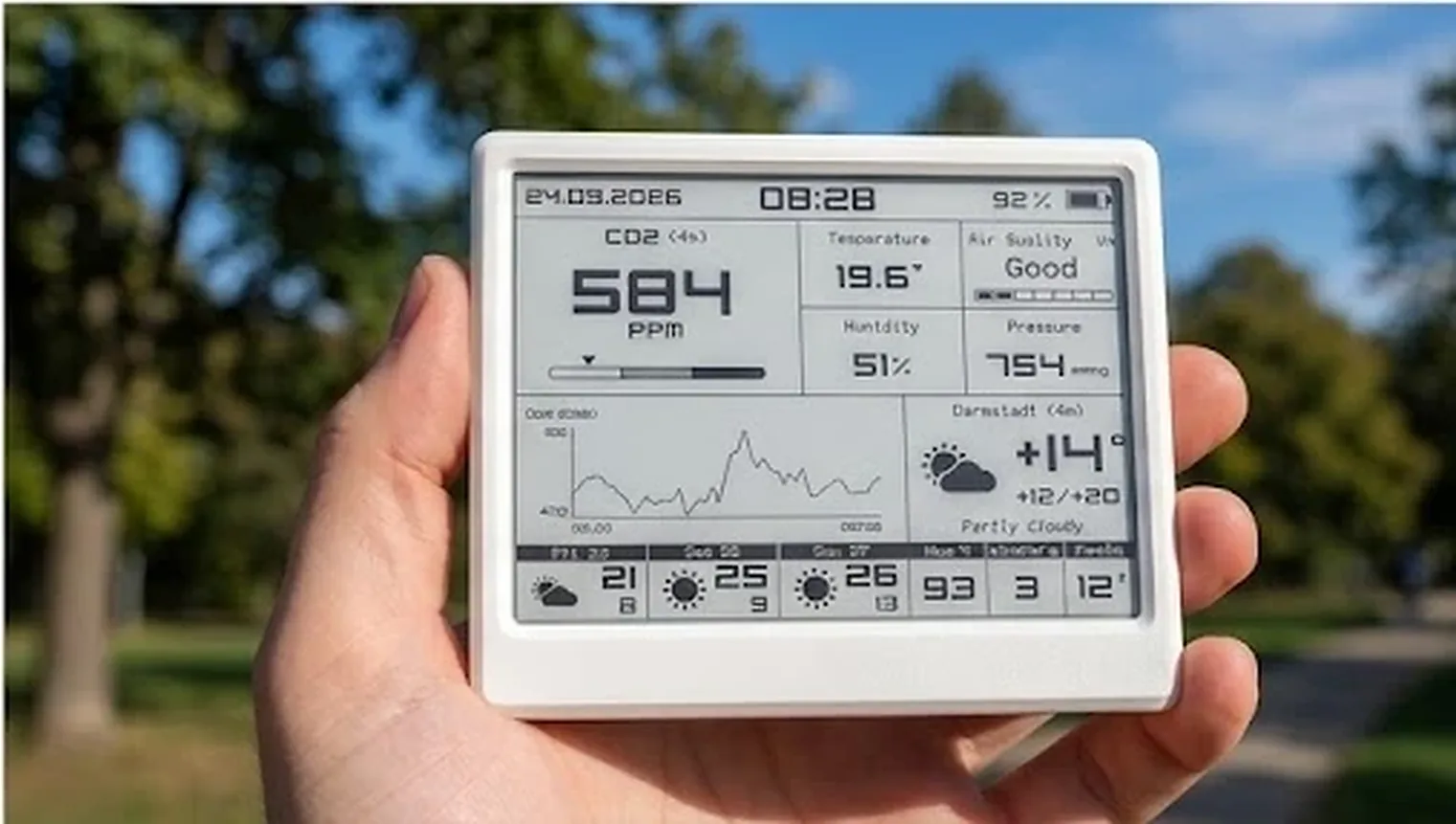
Smart Meteo held in one hand outdoors
Light enough to carry room to room
Magnets in the back

Holds on the fridge, a whiteboard or a steel frame. The kitchen is where the fumes are.

Fold‑out stand

Swings out from the back to stand it on a desk or shelf. Folds flat when it goes on the fridge.

Carry it room to room

Months on a charge, so put it wherever you want to know about the air: bedroom tonight, office tomorrow.

Photos above are visualisations.

A day in one room

You can't smell CO₂. It still ruins your sleep.

Drag through an ordinary day and see what the device sees and when it speaks up. The day is an illustration; the messages are word for word what the firmware sends.

Six readings, one verdict

Each sensor does the one job it was built for.

Carbon dioxide
795 ppm

The real gas, measured by light.

An infrared sensor counts CO₂ molecules directly instead of guessing from other readings. It rises when a room holds more people than fresh air, and at 1,500 ppm most people start to feel it. It measures every 5, 15 or 30 minutes depending on the profile, and sleeps in between.
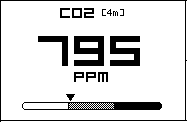
The CO₂ block of the device screen
Sensirion SCD41 · photoacoustic NDIR
Air quality
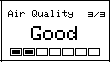
The air quality block: Good, two cells of seven filled

Cooking, cleaning, paint, new furniture.

A heated gas sensor tracks volatile compounds every five minutes and grades them on Bosch's seven‑class index. It calibrates itself over the first days, and keeps that calibration through firmware updates.

Bosch BME690 + BSEC
Temperature · humidity
22.8° 45 %

Match it to a reference thermometer in the settings. Damp is judged at the coldest wall, using the weather outside: the same 70 % means condensation in January and nothing at all in July.

SCD41
Pressure
1012 hPa

It watches the three‑hour trend. When pressure falls the way the Met Office defines a falling barometer, the screen says Rain or Storm instead. In mmHg or hPa, as you prefer.

BME690
Battery
87 %
Voltage4.02 V
Rate−0.7 %/day
Time left≈ 4 mo
Cycles3
Cell voltage · charger status
Outside

The weather at your window, and three days ahead.

MET Norway needs no key and no sign‑up; with your own key, OpenWeatherMap steps in if it doesn't answer. Humidity, wind and feels‑like sit along the bottom, or sunrise and sunset, the moon and UV if you prefer. Daylight saving follows your time zone by itself.

api.met.no · CC BY 4.0
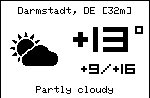
Outdoor block: Darmstadt, plus 13 degrees, partly cloudy
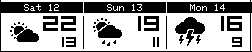
Three-day forecast row
The verdict

Seven words from Bosch. No guesswork of ours.

The seven cells on the screen are the seven classes in the BME690 datasheet, and the advice is Bosch's own. Tap one.

Good

No alert
Stuffy

CO₂ above the limit you set (1,100 ppm by default). The cells keep showing the gas class, so you see both at once.

Damp

Not a gas word, so it has its own place: the humidity block turns black when the coldest wall nears condensation. Two readings running, and it follows the season.

Warm‑up

While the gas sensor is still learning, the screen says so, rather than showing a number it can't stand behind.

The same verdict, everywhere:On the glassTelegramHome AssistantSettings page
Alerts

Black means open a window.

When something is wrong, its block turns black: the air block for stuffy or polluted air, the humidity block for damp. You can see it from across the room. A reading has to hold for two measurements before it counts, so it doesn't flicker at a border. The message says what was measured, what it means, what to do and when. The numbers freeze the moment the alert fires.

WARNING

Sent at once, even at 3 a.m.: heavy pollution, damp air, CO₂ from 1,500 ppm, a nearly empty battery.

ADVISORY

Waits for morning: moderate pollution, CO₂ above your limit. You can switch off each kind of alert.

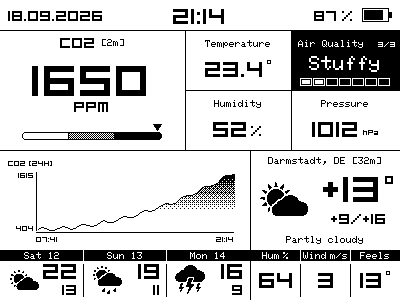
The screen during a Stuffy alert, with the air quality block inverted
Smart Meteoyour own bot
Today
⚠️ Smart Meteo · Stuffy air CO₂ 1650 ppm — above your alert level of 1100 ppm. Open a window for a few minutes; it usually drops fast. Room 23.4 °C · 52 % · measured 21:1421:14
✅ Smart Meteo · Back to normal Stuffy air is over: CO₂ 640 ppm. Air quality index 38, Excellent. Room 22.9 °C · 49 % · measured 21:5021:50
/air21:52

Commands: /status · /co2 · /air · /battery. The bot answers the next time the device is online.

Connections

On its own, or at home in yours.

Switch modes in the settings page with a single restart. If you leave your smart home for Wi‑Fi and come back, the pairing is still there.

Wi‑Fi

Stands on its own

Weather, forecast, clock and updates come straight from the internet. Alerts and commands go through your own Telegram bot. It remembers up to three networks and joins whichever is in range.

Wi‑Fi + MQTT

Home Assistant

It shows up as a device with every sensor. The hub sends the weather back, so each radio window is half as long. The settings page writes the automation for you: one paste.

Matter over Thread

Smart homes, no Wi‑Fi

Pairs with its own QR code and takes the time from the hub. Tested with Google Home. Weather and Telegram are off in this mode.

Wi‑FiWi‑Fi + MQTTMatter
Weather & 3‑day forecastFrom the internetFrom your hubOff
Telegram alerts & commandsYesYesOff
Home Assistant deviceAuto‑discovered
Matter hubsCO₂, air, temp, humidity
ClockInternet timeInternet timeFrom the hub
Needs Wi‑FiYesYesNo
Settings

Hold the button. Your phone is the settings page.

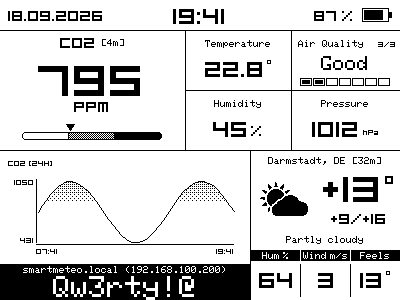
No app to install. After three seconds the device prints its address and its own password on the glass. On your home network it opens as a page; without one it raises its own hotspot and shows a QR code. A first‑run wizard covers network, weather, smart home and the button; the clock and time zone come from your phone.

The screen with the settings address and the password in a black band

CO₂ calibration in one press

It waits until the readings stop falling, takes six more, and shows every step on its own screen. About a quarter of an hour.

1Balcony
2Press
3Back

Your thermometer wins

Type in what a reference thermometer shows and the device corrects itself.

Battery life, before you save

Change an interval and the estimate recalculates on the spot.

Your history, your file

Charts over any span, and a CSV export of everything recorded.

Home Assistant in one paste

A ready automation with your topic, device and city already filled in.

A guide, online

Every area of the screen and every state, pictured by the same code that draws the glass.

One button

Three lengths of press.

Tap

Measure right now and redraw the whole screen cleanly.

3sec

Open the settings page. The light blinks three times to tell you it worked.

10sec

Switch off after a question on the screen. Press again to start. Nothing you set is lost.

Battery

Paper holds the picture for free.

2.5–3months on one charge, measured so far*
CO₂ every5 min
Online every15 min
Clock on screenLive

* For the built‑in 2,000 mAh cell, with night mode on. Measured on one device at the busiest setting (CO₂ every 5 minutes, clock on screen, online every 15 minutes through a Home Assistant hub): it is on track for 2.5–3 months per charge. The full run ends in mid‑December and this number will be updated then. The slower modes last longer, but they haven’t been measured yet, so there are no figures for them here.

87 %

Of the sensor wait is spent asleep. The device sleeps deeply between readings, and naps even while the sensors measure.

0 mW

The display after dark. At night the frame freezes and the display's power is cut until morning. A press brings it back.

1 A

Honest charging. On the cable, the percentage rises only as fast as a real cell can charge. It doesn't jump when you unplug.

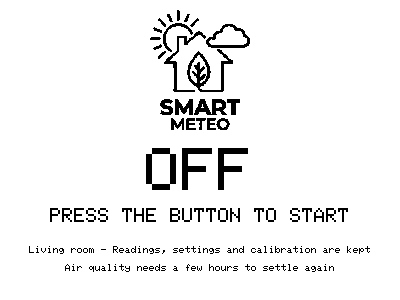
The switched-off screen: logo, OFF, press the button to start

It says OFF. On e‑paper, a device that is off, one with a flat battery and one that has frozen all look the same. So this one says which it is.

Privacy · security · resilience

Your air stays in your house.

No cloud stands between you and your readings. The device looks after itself.

No cloud

Nothing to sign up for

The device talks only to the weather and update servers, and to Telegram or your own hub if you set them up. Readings stay on it: up to a year and a half of history.

Own password

Every unit is different

Each device draws its own password and shows it on the glass when you need it. The password never crosses the network, because the page sends only a hash. Five wrong tries lock the page for a minute.

Signed updates

Only our firmware

Updates arrive over the air, signed. A new version that fails its self‑test rolls itself back.

You're told

A log you can read

A security log sits in the settings page. Telegram tells you when the password changes, an update installs or a factory reset is requested.

Self‑repair

Gets back up by itself

A watchdog, a safe mode, sensor and bus recovery, a bypass for a stuck display, and a rollback after repeated failed starts.

Calibration kept

Survives almost anything

The CO₂ calibration and your temperature correction survive even a factory reset. The gas calibration survives updates.

Specifications

The details.

Display
4.2″ e‑paper, 400 × 300, no backlight
CO₂ · T · RH
Sensirion SCD41, photoacoustic NDIR
Air quality · pressure
Bosch BME690 with BSEC, 7 IAQ classes
Battery
Li‑Po 2,000 mAh · USB‑C charging · cut‑off at 3.30 V
Processor · radio
ESP32‑C6 · Wi‑Fi 6 · Bluetooth LE · Thread
Smart home
MQTT with HA discovery · Matter over Thread
Weather
MET Norway · OpenWeatherMap fallback
Alerts
Screen · Telegram · MQTT
History
533 days at 15 min · 5/10/15 min · CSV
Event log
8,192 entries, incl. security
Mounting
Fold‑out stand · magnets in the back
Smart Meteo

Open the window at the right time.